
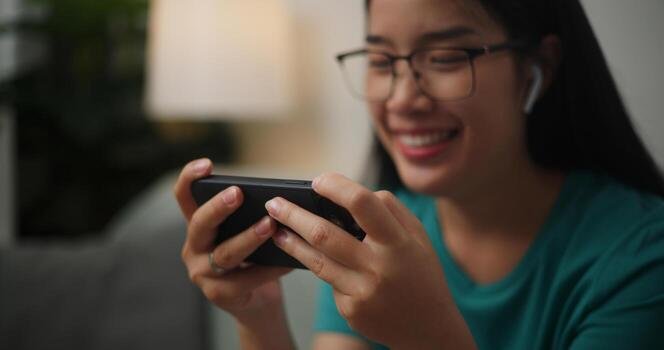

Tracking a run or bike ride has become much easier than it used to be. You no longer need a dedicated GPS device to see how far you travelled, how fast you moved, or which route you followed.
A smartphone and a fitness tracking app can handle most of that work.
GPS running tracker apps use location data from your phone to record movement during outdoor activities. Once a workout is finished, the app turns that information into useful statistics such as distance, pace, speed, duration, and route maps.
For runners, walkers and cyclists, this can make it much easier to understand progress and stay consistent with training.
What Is GPS Fitness Tracking?
GPS fitness tracking is the process of using satellite positioning to record movement during an outdoor activity.
When you start a run, walk, or cycling session, your phone receives location data and records your location at different points along the route.
The app then connects those points to estimate how far you travelled and how quickly you moved.
This is why most GPS fitness apps can show a map after your workout, along with information such as:
- Total distance
- Workout duration
- Average pace
- Average speed
- Route taken
- Estimated activity data
The exact information available will depend on the app and the type of activity being recorded.
How Does GPS Track Your Route?
GPS relies on satellites to estimate your location.
Your smartphone communicates with several satellites and uses their signals to work out where you are. During an activity, your position is recorded repeatedly as you move.
These location points form the route you see on a map later.
For example, if you run around a local park, the app may record dozens or hundreds of location points during the session. By connecting those points, it can create a digital version of your route.
The quality of the result depends on factors such as signal strength, buildings, trees, weather conditions, and the phone itself.
How Fitness Apps Calculate Distance
Distance is one of the most useful measurements for runners and cyclists.
A GPS fitness tracking app estimates distance by calculating the distance between recorded location points.
If your phone records one location and then another a few seconds later, the app can estimate how far you travelled between those two points. It repeats this process throughout the workout and adds the measurements together.
The final result becomes your total distance.
This is why GPS tracking is generally more useful outdoors than indoors. When running on a treadmill, for example, GPS cannot accurately measure movement because you are staying in roughly the same physical location.
How Apps Measure Running Pace
Pace shows how long it takes to cover a certain distance.
Runners commonly measure pace in minutes per kilometre or minutes per mile.
If you run 5 kilometres in 30 minutes, your average pace is approximately 6 minutes per kilometre.
Fitness apps calculate this automatically using your recorded distance and workout time.
Average Pace
Average pace gives you an overall view of the workout.
It is useful when comparing runs over time or checking whether your pace is becoming more consistent.
Current Pace
Some apps also show your estimated pace while you are moving.
This can help during training sessions when you are trying to maintain a certain speed.
Current pace can fluctuate more than average pace because it depends on live GPS data.
How Cycling Speed Is Calculated
Cyclists usually focus more on speed than pace.
The principle is similar.
The app measures how far you travel over a certain period of time and uses this information to calculate speed.
You may see figures such as:
- Current speed
- Average speed
- Maximum speed
- Total distance
- Ride duration
These measurements can be helpful when comparing different cycling routes or tracking performance over longer periods.
Why GPS Tracking Is Useful for Runners and Cyclists
GPS tracking gives you more than just a workout summary.
It creates a record of your activity that you can review later.
Track Progress Over Time
One of the biggest benefits is being able to compare activities.
You might notice that you can now run the same route faster, cycle further in the same amount of time or complete longer walks without stopping.
These changes can be difficult to notice without recorded data.
Explore New Routes
Route tracking also makes it easier to explore unfamiliar areas.
After completing an activity, you can see exactly where you went and decide whether you want to repeat the route.
Set Simple Goals
Fitness apps can help make goals easier to measure.
Instead of saying, “I want to exercise more,” you might aim to run 20 kilometres per week or cycle three times a week.
Having recorded activities makes those goals easier to track.
What Role Does the Fitness App Play?
The GPS hardware in your smartphone collects location information, but the fitness app is what turns that information into something useful.
A good app organises the data and presents it in a format that is easy to understand.
For example, a GPS fitness tracking app such as Further Faster can be used to record activities including running, walking and cycling while providing useful workout information such as distance, route, pace and duration.
That makes it easier to review an activity without having to manually calculate performance.
The main goal is not necessarily to collect as much data as possible. For many users, a simple view of distance, time, and route is enough to understand how a workout went.
Can Smartphone GPS Tracking Be Accurate?
Smartphone GPS is generally useful for everyday fitness tracking, but it is not perfect.
Small differences between apps or devices are normal.
For example, two people running together may finish with slightly different recorded distances even if they followed the same route.
Several factors can affect GPS accuracy.
Tall Buildings
Buildings can block or reflect satellite signals, especially in busy city centres.
This can cause the recorded route to move slightly away from the actual path.
Trees and Covered Areas
Dense trees can also interfere with GPS signals.
The effect is usually small, but it may become more noticeable on trails or heavily wooded routes.
Phone Position
Where you carry your phone can sometimes affect signal quality.
A phone kept deep inside a backpack may perform differently from one carried in a running belt or mounted on a bike.
Battery-Saving Features
Some smartphones restrict background activity to save battery.
If the operating system limits the tracking app while your screen is off, portions of the workout may not be recorded correctly.
How to Improve GPS Tracking Accuracy
There are a few simple things you can do before starting a workout.
Allow Location Access
The tracking app needs permission to access your location.
Make sure the correct location permissions are enabled before starting your activity.
Wait a Few Seconds Before Starting
Opening the app and immediately pressing start can sometimes result in inaccurate data at the beginning of a workout.
Giving the phone a few seconds to establish a GPS connection can help.
Check Battery Optimisation Settings
If workouts are stopping unexpectedly, check whether your phone is restricting the app in the background.
This is especially important for longer runs, hikes, or cycling sessions.
Keep Your Phone Charged
GPS can use more battery than normal smartphone activity.
Starting a long workout with a low battery increases the risk of losing part of the recording.
GPS Apps vs Fitness Watches
Smartphones are not the only devices that offer GPS fitness tracking.
Many running watches and smartwatches have built-in GPS as well.
Dedicated fitness watches can be useful because they sit directly on your wrist and may also track heart rate, recovery data, or advanced training metrics.
However, a smartphone has some advantages too.
Most people already own one, which means there is no additional hardware cost. Phones also have larger screens, making it easier to view maps and workout details after an activity.
For casual runners, walkers and cyclists, a smartphone app may provide all the tracking features they actually need.
Does More Fitness Data Always Mean Better Training?
Not necessarily.
Modern fitness devices can collect a large amount of information, but not every metric is useful to every person.
Someone who has recently started running may only need to know:
- How often they are running
- How far they are going
- How long each session takes
- Whether their pace is improving
Cyclists may focus on distance and average speed.
The most useful data is usually the information that helps you make better decisions about your next workout.
Final Thoughts
GPS fitness tracking has made it much easier to record outdoor exercise.
By using your smartphone’s GPS and a fitness app, you can track running, walking and cycling activities without needing specialist equipment.
Distance, pace, speed, duration and route data can all help you understand how active you are and whether your performance is changing over time.
The technology behind it is fairly complex, but using it is simple.
Start the activity, take your phone with you and let the app record the journey.






Leave a Reply