
Introduction
Remote monitoring and management software is central to how managed service providers support customer environments.
But not every RMM platform is designed around the operational reality of a small or growing MSP.
Some tools were created for large providers with dedicated platform administrators. Others focus mainly on endpoint monitoring while leaving remote access, logs, automation, ticketing and customer separation to additional products.
For a smaller MSP, every extra platform adds licensing costs, configuration work, training requirements and another place where operational context can be lost.
The most useful way to evaluate an RMM platform is therefore not to count features. MSPs should examine how well the platform supports the complete path from detecting a problem to investigating, resolving and documenting it.
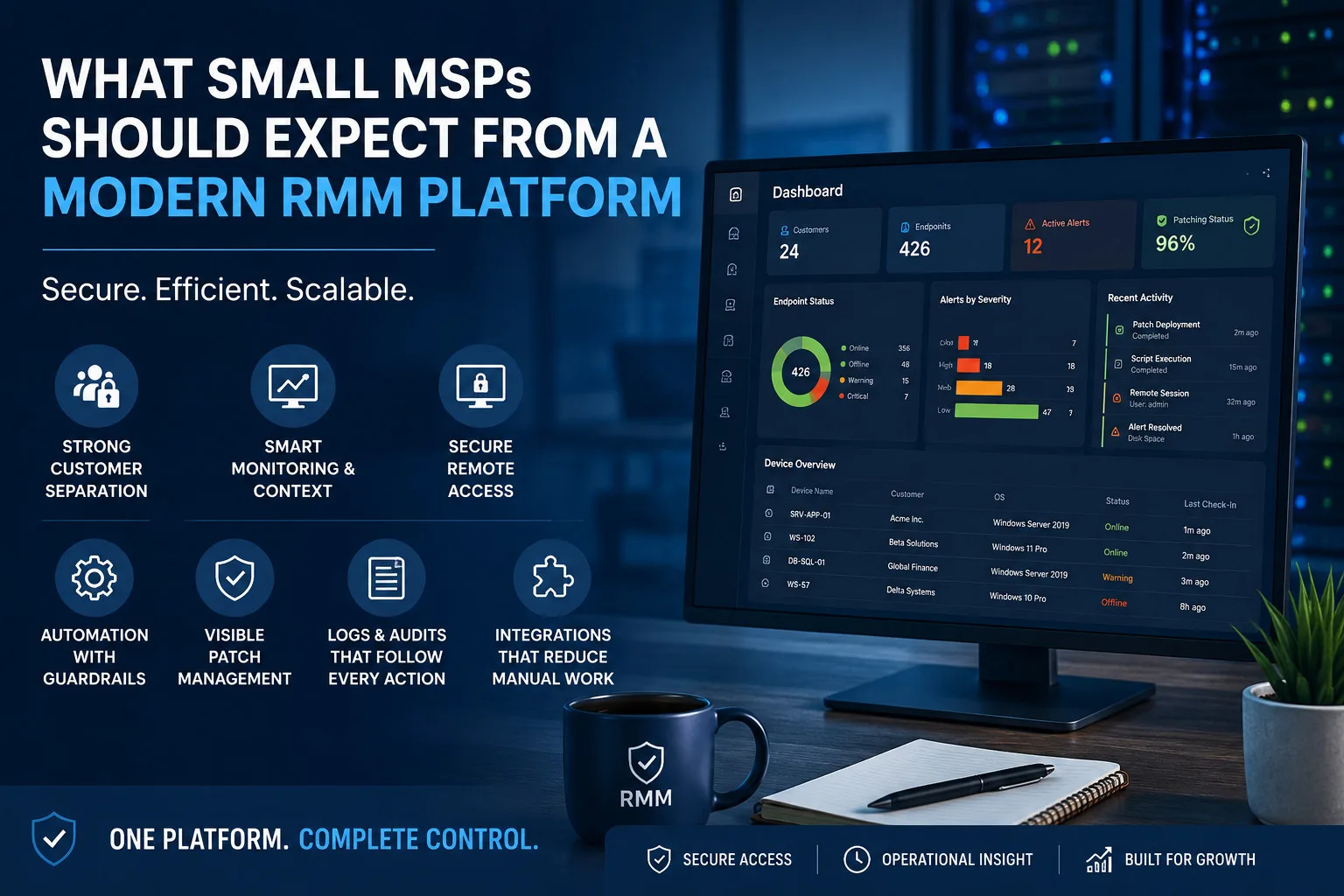
Strong customer separation should be fundamental
An MSP manages systems belonging to multiple independent organizations. The platform must treat customer separation as a core architectural requirement rather than a naming convention.
Technicians should see only the customers and endpoints assigned to them. Customer administrators should not be able to view another customer’s data, credentials, reports, or tickets.
This separation should apply consistently across:
- Endpoint inventories
- Monitoring data
- Alerts
- Remote sessions
- Credentials
- Logs
- Scripts and automation
- Files and attachments
- Reports and audit history
Role-based access should also support different technician responsibilities. A junior support technician may be permitted to review alerts and perform approved actions, while infrastructure administrators receive broader shell, desktop or automation permissions.
Clear tenant boundaries reduce the risk of accidental cross-customer access and make technician onboarding easier.
Monitoring should provide operational context
Basic monitoring usually includes CPU, memory, disk, network and availability data. Those metrics are necessary, but they are not sufficient by themselves.
When an alert is triggered, the technician should be able to identify the customer, endpoint, operating system and recent system activity immediately.
Historical data helps determine whether the event is unusual or part of an existing pattern. Service status, process information, deployment history, and recent patch activity may explain why the alert occurred.
The objective is to reduce the amount of manual investigation required before the technician understands the situation.
An alert without context creates work. An alert connected to the correct endpoint, logs, and operational history helps the technician make a decision.
Remote access must be secure and accountable
After identifying an issue, the technician may need a shell or desktop session.
An RMM platform should provide controlled access without requiring technicians to maintain separate VPN profiles, locally saved credentials and customer-specific connection configurations.
Browser-based SSH and remote desktop can make access easier across cloud servers, customer offices and systems behind NAT. However, convenience must not replace security.
The platform should support multi-factor authentication, per-endpoint permissions, encrypted credential handling, connection history and file-transfer auditing.
Organizations should also understand that legitimate RMM products can be abused by attackers when access controls are weak or unauthorized tools are installed.
CISA’s advisory on the malicious use of remote monitoring and management software recommends maintaining awareness of authorized RMM tools and reviewing relevant execution and access logs.
An MSP should therefore know which remote-management agents are deployed, who can use them, and how every privileged session is recorded.
Automation needs guardrails
Automation is one of the most valuable RMM capabilities for a growing MSP.
Reusable PowerShell, Bash, or other automation scripts can reduce the effort required for repetitive tasks such as checking disk space, restarting services, clearing temporary files, collecting diagnostics, or deploying configuration changes.
But automation also increases the potential impact of mistakes.
A script intended for a single test endpoint can cause widespread disruption if it is accidentally executed across multiple customer environments.
Modern platforms should make it clear:
- Which customer and endpoints will receive an action
- Which technician initiated it
- Whether approval is required
- What command or script will run
- Whether the action succeeded
- What output or error was returned
MSPs should begin with predictable, low-risk workflows and gradually expand automation as they gain operational confidence.
Patching should be visible, not merely automatic
Automated patching is useful, but MSPs still need visibility and control.
The platform should show which endpoints are missing updates, whether patches require restarts, which installations failed, and whether exceptions have been approved.
Maintenance windows and reboot policies should be configurable according to customer requirements. A patch policy appropriate for employee laptops may not be suitable for a production database server.
Technicians also need a fleet-wide compliance view to identify customers or endpoint groups falling behind.
The goal is not to install every available update immediately. It is to provide a repeatable and auditable process for evaluating, scheduling, and confirming patch activity.
Logs and audits should follow the customer and endpoint
MSPs often rely on separate tools for monitoring, remote access,logs, ticketing, and deployment records.
When these systems are disconnected, technicians must manually reconstruct the history of an incident.
A modern RMM should link operational records to the relevant customer and endpoint. The technician should be able to see alerts, recent actions, remote sessions, file transfers, scripts and important log events without repeatedly searching across separate systems.
Audit records are especially important because the MSP operates with privileged access to customer infrastructure.
CISA’s guidance on protecting managed service providers and their customers recommends securing remote access applications, enforcing strong authentication and maintaining appropriate logging and monitoring practices.
These controls help both the MSP and the customer understand what occurred during an incident or support session.
Integration still matters
Consolidation does not mean that an RMM must replace every product an MSP uses.
Ticketing, accounting, identity management, security monitoring, and communication platforms may remain separate. The RMM should provide useful integrations or APIs so that operational events can move between systems without extensive manual work.
Common Integration Examples
- Ticketing systems
- Slack notifications
- Email alerts
- Webhooks
- Billing platforms
- Reporting systems
- Identity providers
The important consideration is whether the integrations reduce work or merely duplicate notifications.
MSPs should test real workflows during evaluation rather than accepting a long integration list at face value.
Pricing should support gradual growth
Many small MSPs begin with a modest customer base and expand gradually.
Pricing should be understandable at that stage. Providers should examine technician minimums, endpoint commitments, feature restrictions, onboarding costs, and contract terms.
A low advertised endpoint price may become less attractive when essential remote access, automation, reporting, or security capabilities require separate modules.
The right platform should let the MSP begin with a manageable deployment and expand without requiring a complete migration when the number of technicians or endpoints grows.
Platforms such as LynxTrac for MSPs bring endpoint monitoring, browser-based remote access, SSH, patching, automation, logs and deployment workflows into a multi-customer operational environment.
The platform should still be evaluated through a real pilot. Feature descriptions cannot replace testing with representative customer endpoints and everyday technician workflows.
Evaluate the complete support lifecycle
A modern RMM platform should help an MSP move smoothly through four stages:
- Detect the problem.
- Understand the affected customer and endpoint.
- Perform an authorized remediation.
- Record what happened.
When these stages are distributed across too many disconnected products, technicians lose time and customers receive slower service.
For a small MSP, the best RMM is not necessarily the platform with the longest feature list. It is the one that delivers secure customer separation, useful operational context, controlled remote access, safe automation, and a clear record of every important action.






Leave a Reply