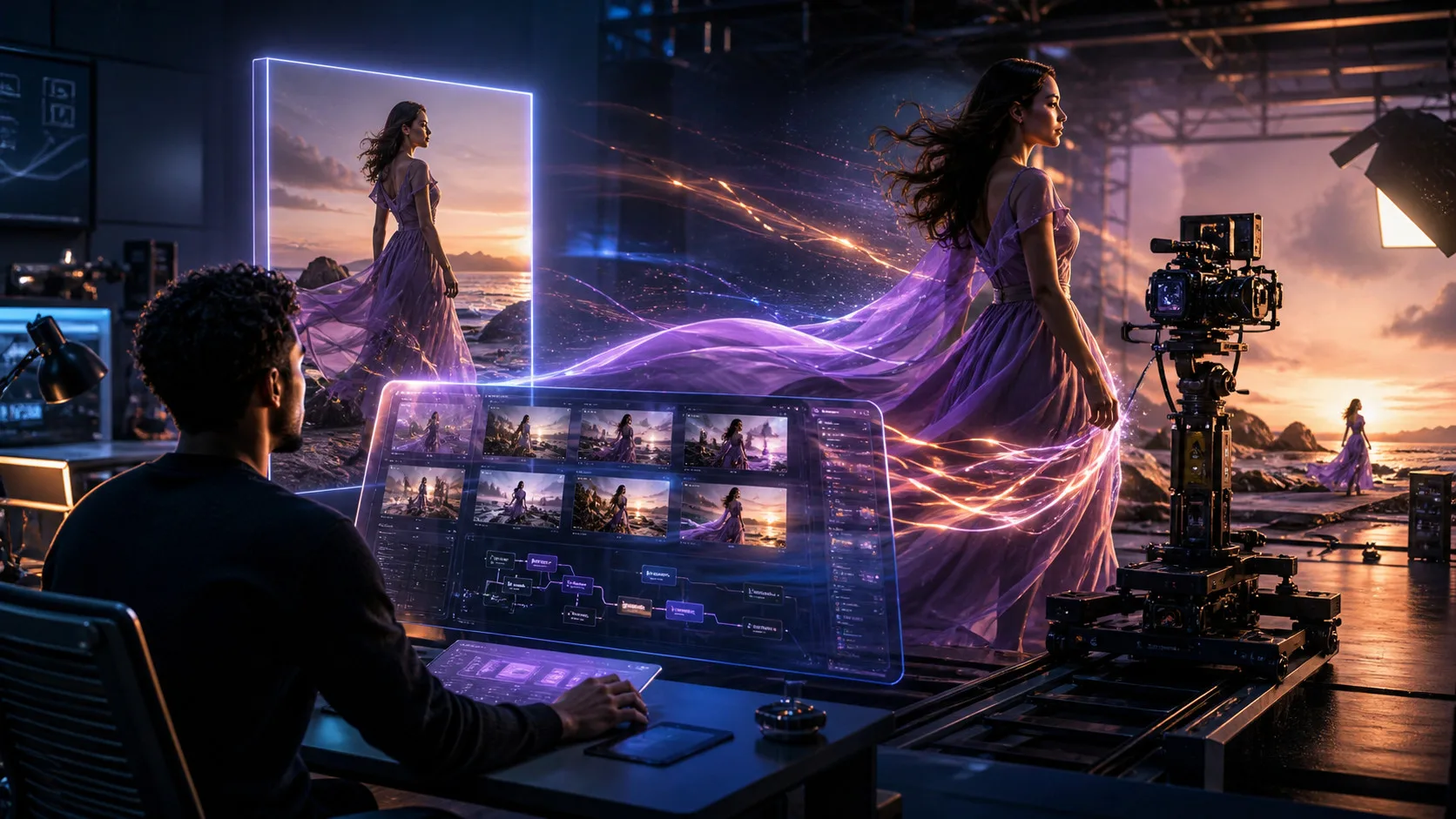

AI video generation has moved from experimental technology into a practical part of modern digital content creation. Instead of creating every movement manually, creators can now start with a still image, describe the desired motion, and generate a short video clip with an AI model.
This has opened up new possibilities for social media content, product marketing, advertising, storytelling, presentations, and creative experimentation. At the same time, the number of available platforms has grown quickly, making it harder to determine which image-to-video AI tool fits a particular workflow.
Some platforms concentrate on cinematic generation and creative control. Others focus on fast social content, developer APIs, model variety, or broader AI media workflows that include image generation, editing, lip sync, and video extension.
This comparison looks at several widely used options based on publicly available product information, official documentation, published features, workflow capabilities, pricing, accessibility, and developer resources. It does not present universal rankings based on firsthand testing.
Best Image-to-Video AI Tools at a Glance
| Tool | Best For | Image-to-Video | Platform | Free Access |
| Magic Hour | Broad AI content creation | Yes | Web, API | Yes |
| Runway | Advanced creative control | Yes | Web, API | Limited |
| Kling | Realistic motion and storytelling | Yes | Web | Limited |
| Google Flow / Veo | AI filmmaking workflows | Yes | Web | Limited |
| Pika | Social content and experimentation | Yes | Web, API | Limited |
| Luma | Cinematic visual development | Yes | Web, API | Limited |
1. Magic Hour
Best for: Creators, marketers, agencies, developers, and businesses looking for image-to-video alongside a broader collection of AI media tools.
Magic Hour takes a wider approach to AI content creation than a platform focused exclusively on image animation. Its current product ecosystem includes image-to-video, text-to-video, face swap, lip sync, talking photos, AI video extension, video editing, upscaling, templates, APIs, and multiple video-generation models.
That range can be useful for creators who need to move between different stages of production without relying on a separate service for every task.
The platform’s image to video ai workflow allows users to upload a still image, optionally describe movement or camera behavior, generate a clip, and download the result. The current image-to-video tool supports common image formats and provides different output options depending on the selected model and plan. Magic Hour’s official documentation also confirms that users can generate, preview, and download the resulting video directly from the browser.
What Makes Magic Hour Different?
One of Magic Hour’s main differentiators is the combination of multiple AI media workflows and models within one platform.
Instead of choosing one service for image-to-video, another for lip sync, another for face-related work, and another for extending short clips, creators can access these workflows from the same ecosystem.
The platform also emphasizes access to multiple AI video models. Its current image-to-video environment lists options including Kling, Seedance, Veo, LTX, MiniMax, and others, allowing users to compare different approaches to motion, realism, audio, and creative control within one interface.
For creators, model variety can be valuable because different projects can require different characteristics. A product animation may need controlled motion, while a cinematic scene may prioritize realism or camera movement.
No-Signup Image-to-Video Access
Another practical advantage is the ability to try the image-to-video workflow without creating an account.
The current free image-to-video experience provides three free generations per day, with each free generation lasting three seconds and including audio. The free output is 480p and watermarked, while signing up unlocks additional account-specific features and credits.
This makes it possible for new users to understand the workflow before committing to a subscription.
Click-to-Create Templates
Templates are another part of the platform’s creator-oriented approach.
Magic Hour provides image-to-video templates that allow users to apply existing motion concepts to their own images rather than designing every instruction from scratch. This can be particularly useful for creators producing social posts, promotional variations, or recurring visual formats.
A template-based workflow can shorten the path from a finished image to an initial video concept while still allowing the creator to review and adjust the result.
One-Click Multi-Step Workflows
Modern AI content creation is increasingly moving beyond isolated generation.
Instead of generating a clip and then manually moving it between several services for enhancement, creators can use broader workflows that connect generation with steps such as upscaling, video creation, editing, and other transformations.
This type of generate → enhance → refine workflow can be especially useful when producing multiple versions of the same asset.
Fast Variations and Multiple Takes
AI generation is naturally iterative. A first result may have the right concept but the wrong movement, framing, timing, or visual detail.
Magic Hour’s generation options make it possible to work through multiple variations rather than treating the first output as the final result. Paid plans also provide concurrent generations, allowing users to work on several outputs at once.
The current pricing structure includes three concurrent generations on Creator, five on Pro, and unlimited concurrent generations on Business.
This can make experimentation more practical for users who need several creative directions for a campaign or content series.
Face Swap, Lip Sync, and Talking Photos
Image-to-video is only one part of a larger AI video workflow.
Magic Hour also provides face-related tools, talking-photo workflows, and Lip Sync. These can be useful when a creator needs to adapt existing footage or create different versions of approved visual content.
Its Lip Sync workflow allows users to combine a video containing a visible face with an audio track and generate synchronized mouth movement. The official workflow consists of uploading a face video, adding audio, generating the synchronized version, and downloading the result. The tool also provides an API for developers.
A lip sync AI workflow can therefore be useful when a permitted presenter needs to be matched to narration, translated dialogue, or another approved audio track without recording the entire performance again.
Talking-photo workflows serve a related purpose when the starting point is a still portrait rather than an existing video.
AI Video Extender
Magic Hour also offers an AI video extender for situations where an existing clip needs additional time.
The tool is designed to continue an existing video rather than simply changing its dimensions. Its workflow uses the existing clip as the basis for generating additional footage, with controls and options varying according to the selected workflow and plan.
This can be useful when a clip ends too quickly, needs additional time for an end card, requires a smoother transition, or needs more breathing room for social-media pacing.
It is important to distinguish this from an AI video expander. An extender adds time to a video, while an expander generates additional visual area around the existing frame to change the aspect ratio.
Frontier Models in One Place
One of the more notable characteristics of Magic Hour is its model variety.
The current image-to-video environment provides access to multiple video models, including frontier models and other options with different strengths. Depending on availability, users can select models suited to realism, cinematic motion, audio, reference control, rapid iteration, or other requirements.
This model-aggregation approach can save creators from maintaining separate subscriptions simply to compare different generation systems.
Weekly Product Development
AI video technology changes quickly, so the usefulness of a platform also depends on how actively its feature set develops.
Magic Hour positions itself around frequent product improvements and new capabilities. For users working in a rapidly changing AI environment, regular feature development can be important because new models, workflows, and production requirements can change the way content is created.
Free Tier and Credit Flexibility
Magic Hour provides free ways to experiment with its tools, while paid plans increase credits, output quality, concurrency, file limits, and other capabilities.
Another notable feature is that unused credits do not expire. According to the current pricing information, unused subscription credits roll over rather than disappearing at the end of a billing period. Additional credit packs also do not expire.
This can be useful for creators whose production volume changes from month to month.
Pricing
Magic Hour currently offers three main paid plans:
- Creator: $19 per month, or $12 per month when billed annually
- Pro: $39 per month, or $25 per month when billed annually
- Business: $99 per month, or $66 per month when billed annually
The Creator plan includes 144,000 credits annually, 1024px high-resolution output, three concurrent generations, commercial use, priority processing, larger uploads, and full API access.
The Pro plan increases the allocation to 300,000 credits annually, provides 1472px high-resolution output, five concurrent generations, and larger upload limits.
Business provides 840,000 credits annually, 4K output, larger uploads, and unlimited concurrent generations.
All three plans provide access to the platform’s broader collection of AI video tools, while the exact amount of video or image generation depends on the model and workflow being used. Current pricing and plan details should be checked against Magic Hour’s pricing page because AI services can update their plans over time.
At $12 per month when billed annually, Creator can offer strong value for creators who need regular access without moving immediately to a higher-volume plan.
Desktop, Mobile, and API Workflows
Magic Hour’s browser-based approach makes it accessible across common desktop and mobile environments, while its API provides a route for developers and businesses that need automation.
The Image-to-Video API supports image uploads, optional motion prompts, model selection, output configuration, and programmatic generation. Magic Hour also provides API access for other media workflows. Its official image-to-video documentation currently reports 99.9% uptime and support for multiple SDKs.
For businesses, the ability to access multiple tools through APIs can be more useful than a browser-only product because content generation can become part of an existing application or automated workflow.
Support and Production Use
For creators, straightforward access to support can matter when an AI workflow is part of an ongoing production process.
Magic Hour provides priority support on paid plans. Its broader product positioning also focuses on production use rather than one-off experimentation, with APIs, scalable infrastructure, commercial-use options, and larger plans designed for teams and higher-volume workflows.
That makes the platform relevant not only to individual creators but also to agencies, SaaS products, marketing teams, and businesses that need repeatable AI media generation.
Evaluation
Magic Hour is a strong option for users who want image-to-video generation as part of a broader AI content workflow.
Its main differentiators are not limited to a single generation model. The combination of multiple AI models, image-to-video, templates, face-related tools, Lip Sync, Talking Photo, AI Video Extender, API access, concurrent generation, free experimentation, and non-expiring credits gives users a relatively broad production environment.
Rather than being suitable for every possible project, its strongest appeal is flexibility: creators can use different tools and models depending on what the current project requires.
2. Runway
Best for: Advanced creative control and cinematic AI video production.
Runway is one of the better-known platforms in generative video and creative AI. Its tools are aimed at creators who want to develop visual concepts, generate video, and work with more sophisticated creative workflows.
Image-to-video can be part of a larger production process where users are concerned with visual direction, scene development, motion, and cinematic presentation.
Pros
- Image-to-video capabilities
- Advanced creative workflows
- Cinematic-oriented generation
- Suitable for professional projects
- Multiple AI video capabilities
- Developer/API options
- Useful for filmmakers and creative teams
Cons
- Advanced workflows can have a learning curve
- Credit usage can increase with experimentation
- Some features depend on plan or availability
- Not every workflow is equally suited to simple social content
Evaluation
Runway is particularly relevant to creators who want greater creative control and a broader filmmaking-oriented workflow rather than a simple photo-animation tool.
3. Kling
Best for: Realistic motion and visual storytelling.
Kling is another major option in AI video generation, with a strong focus on motion, visual realism, and cinematic sequences.
Creators can use image-based workflows to develop animated scenes and experiment with different types of movement and storytelling.
Pros
- Strong motion capabilities
- Cinematic visual generation
- Image-to-video support
- Useful for character-based scenes
- Suitable for visual storytelling
- Multiple generation options
Cons
- Results vary by model and input
- Advanced generations can consume more credits
- Prompt experimentation may be necessary
- Access and features can change over time
Evaluation
Kling is worth considering when realistic movement and cinematic storytelling are central to the project.
4. Google Flow / Veo
Best for: AI-assisted filmmaking and broader visual storytelling.
Google’s Veo models and Flow environment are aimed at more extensive AI filmmaking workflows.
Rather than treating image-to-video as an isolated function, Google’s ecosystem can be relevant to creators who want to explore scene development, generative video, and AI-assisted storytelling.
Pros
- Advanced generative video technology
- Filmmaking-oriented workflows
- Strong visual storytelling focus
- Connected to Google’s broader AI ecosystem
- Useful for scene development
Cons
- Access can vary
- Availability depends on product and region
- Different capabilities may have different requirements
- New users may need time to understand the workflow
Evaluation
Google Flow and Veo are particularly relevant to users interested in developing more structured AI filmmaking workflows rather than simply animating a single image.
5. Pika
Best for: Social media content and creative experimentation.
Pika focuses heavily on accessible AI video creation and creative experimentation.
Its tools can be useful for creators who want to transform images, experiment with visual effects, and produce short-form concepts without building a complex production pipeline.
Pros
- Creator-friendly interface
- Image-to-video support
- Strong short-form focus
- Creative effects
- Fast experimentation
- API capabilities
Cons
- Less focused on traditional production workflows
- Advanced control varies by feature
- Credit usage can increase with frequent experimentation
- Not every workflow is designed for professional production
Evaluation
Pika is a practical option for social-media creators and marketers who value quick experimentation and visually distinctive short-form content.
6. Luma
Best for: Cinematic visual concepts and image animation.
Luma is another established option for generative video and visual development.
Its tools can be useful for creators working on cinematic concepts, visual experiments, storyboards, and other projects where atmosphere and movement are important.
Pros
- Cinematic-oriented workflows
- Image-to-video generation
- Visual concept development
- Useful for creative professionals
- API options
- Suitable for experimentation
Cons
- Results can vary depending on the input
- Frequent generations can consume credits
- Advanced features may require paid access
- Refinement may require multiple attempts
Evaluation
Luma is worth considering for creators who want to explore cinematic image animation and visual storytelling alongside other generative tools.
How We Chose These Image-to-Video AI Tools
This comparison is based on publicly available product information, official documentation, published features, pricing information, workflow capabilities, accessibility, and developer resources.
No claim is made that every platform was independently tested for this article.
The main criteria include:
Image-to-Video Functionality
The first consideration is whether a platform can transform still images into video and how that functionality fits within its broader workflow.
Motion and Visual Control
Image-to-video generation is not only about producing movement. Camera direction, subject behavior, visual continuity, prompt control, and model selection can all affect how useful the workflow is.
Creative Control
Some users want simple automated animation, while others need more control over motion, framing, timing, style, and scene development.
Workflow Breadth
Modern AI content creation can involve multiple stages. Platforms offering tools such as image generation, video generation, editing, lip sync, templates, extension, upscaling, or APIs may provide additional flexibility.
Model Access
Access to multiple models can be valuable because different models may perform better for different visual requirements.
Pricing and Value
Subscription price is only one part of the calculation. Credits, concurrency, resolution, commercial use, watermark restrictions, API access, and the ability to retain unused credits can all influence overall value.
Developer and Business Suitability
For professional users, API availability, scaling, commercial rights, automation, and production-oriented infrastructure can be just as important as the browser interface.
What Is Changing in Image-to-Video AI?
The image-to-video category is increasingly becoming part of a larger AI content-production ecosystem.
One major change is the shift from single-purpose generation tools toward platforms that combine multiple workflows. A creator may begin with an image, animate it, generate alternative takes, add synchronized audio, extend the resulting clip, and prepare different versions for social platforms.
Another major development is model aggregation. Instead of subscribing to several platforms simply to access different video models, creators can increasingly find multiple models in one interface.
Templates are also becoming more important. They allow creators to begin with predefined motion concepts instead of developing every workflow from scratch.
At the same time, APIs are making AI video generation more relevant to businesses and software developers. An application can integrate image-to-video generation directly into its own user experience rather than sending users to an external editing platform.
Finally, post-generation workflows such as lip sync and AI video extension are expanding the definition of AI video creation. The workflow no longer necessarily ends when the first video is generated.
Which Image-to-Video AI Tool Should You Choose?
There is no single platform that is ideal for every project.
Choose Magic Hour if you want a broad AI content platform with image-to-video, multiple video models, templates, face-related tools, Lip Sync, Talking Photo, AI Video Extender, API access, concurrent generations, and flexible free experimentation.
Choose Runway if advanced creative control and cinematic workflows are your main priorities.
Choose Kling if realistic motion and visual storytelling are particularly important.
Choose Google Flow / Veo if you want to explore an AI filmmaking ecosystem centered around Google’s generative video technology.
Choose Pika if short-form social content and creative experimentation are your main use cases.
Choose Luma if cinematic visual development and image animation are central to your workflow.
The most useful comparison is therefore not simply “which tool is number one?” but rather which platform provides the models, controls, pricing, workflow, and output options that match the content you actually need to produce.
Final Takeaway
Image-to-video AI has developed into an important part of modern digital content creation.
The technology can now support much more than basic photo animation. Today’s platforms can provide different video models, creative controls, templates, audio workflows, lip sync, video extension, APIs, and other production capabilities.
Magic Hour is a strong option for creators and businesses that want many of these functions in one place. Its image-to-video workflow can animate still images, while its broader ecosystem provides access to multiple AI models, templates, Lip Sync, Talking Photo, AI Video Extender, APIs, and other content-generation tools.
Its current pricing also gives users different levels of capacity, from the Creator plan at $19 monthly or $12 monthly with annual billing through Pro and Business options for higher-volume production. Unused credits roll over without expiration, while higher plans increase resolution, concurrency, storage, and other capabilities.
Runway, Kling, Google Flow/Veo, Pika, and Luma remain useful alternatives depending on whether the priority is cinematic control, motion, filmmaking, social experimentation, or visual concept development.
Ultimately, the best image-to-video AI tool is not necessarily the one with the longest feature list. It is the platform that fits the creator’s actual workflow, budget, desired level of control, and content-production requirements.
Frequently Asked Questions
What is image-to-video AI?
Image-to-video AI is technology that uses a still image as the starting point for generating a moving video sequence. Users can often provide optional instructions describing movement, camera behavior, or visual style.
What is the best image-to-video AI tool in 2026?
There is no universal answer for every creator. Magic Hour is a strong option for users who want image-to-video combined with multiple AI media workflows, while other platforms may be better suited to specific requirements such as cinematic control or social-media experimentation.
Can AI turn a photo into a video?
Yes. Modern image-to-video systems can transform photographs, illustrations, product images, portraits, and AI-generated images into short animated clips.
Can I use image-to-video AI without signing up?
Some platforms provide limited free access without registration. Magic Hour’s current image-to-video tool provides three free three-second generations per day without signup. Free outputs are 480p and watermarked, while signing up provides additional features and account-specific credits.
Which image-to-video tool is best for social media?
The answer depends on the content. Pika can be useful for rapid short-form experimentation, while Magic Hour may be more suitable for creators who want image-to-video alongside templates, multiple models, Lip Sync, video extension, and other AI media workflows.
Can businesses use image-to-video AI?
Yes. Businesses can use image-to-video AI for product demonstrations, advertisements, social content, marketing variations, presentations, campaign concepts, and automated content workflows.
Can I use product images with image-to-video AI?
Yes. Product photos can be used as starting images for animated promotional clips, product showcases, advertising concepts, and social-media content. The final result depends on the selected model, source image, and motion instructions.
What is AI video extension?
AI video extension adds newly generated footage to the end of an existing video. Magic Hour’s AI Video Extender is designed to continue an existing scene, using the source clip as the basis for the generated continuation.
What is the difference between an AI video extender and an AI video expander?
An AI video extender makes a video longer by generating additional footage at the end. An AI video expander changes the visual frame or aspect ratio by generating additional surrounding content. They solve different problems.
What is AI lip sync?
AI lip sync synchronizes visible mouth movements with a supplied audio track. It can be useful for approved presenters, dubbing, localization, educational content, advertising, and social-media variations. Magic Hour’s Lip Sync workflow accepts video and audio and generates synchronized speech movement.
Do image-to-video AI tools require video-editing skills?
Not necessarily. Many browser-based tools allow users to upload an image, provide a motion instruction, and generate a clip without using a traditional video-editing timeline. More advanced projects may still benefit from conventional editing software.
Is Magic Hour free?
Magic Hour provides free access to several AI tools, including limited image-to-video, Lip Sync, and Video Extender workflows. The current image-to-video free experience does not require sign-up and provides three free generations per day. Paid plans add more credits, higher resolutions, additional models, commercial use, priority processing, and higher concurrency.
Do Magic Hour credits expire?
Unused subscription credits roll over to the next month without expiration, according to the current pricing information. Additional credit packs also do not expire.
Does Magic Hour provide an API?
Yes. Magic Hour provides APIs for image-to-video and other AI media workflows. Its image-to-video API supports programmatic generation, multiple output configurations, and production-oriented infrastructure. The official page currently reports 99.9% uptime and 50M+ API calls.







Leave a Reply