
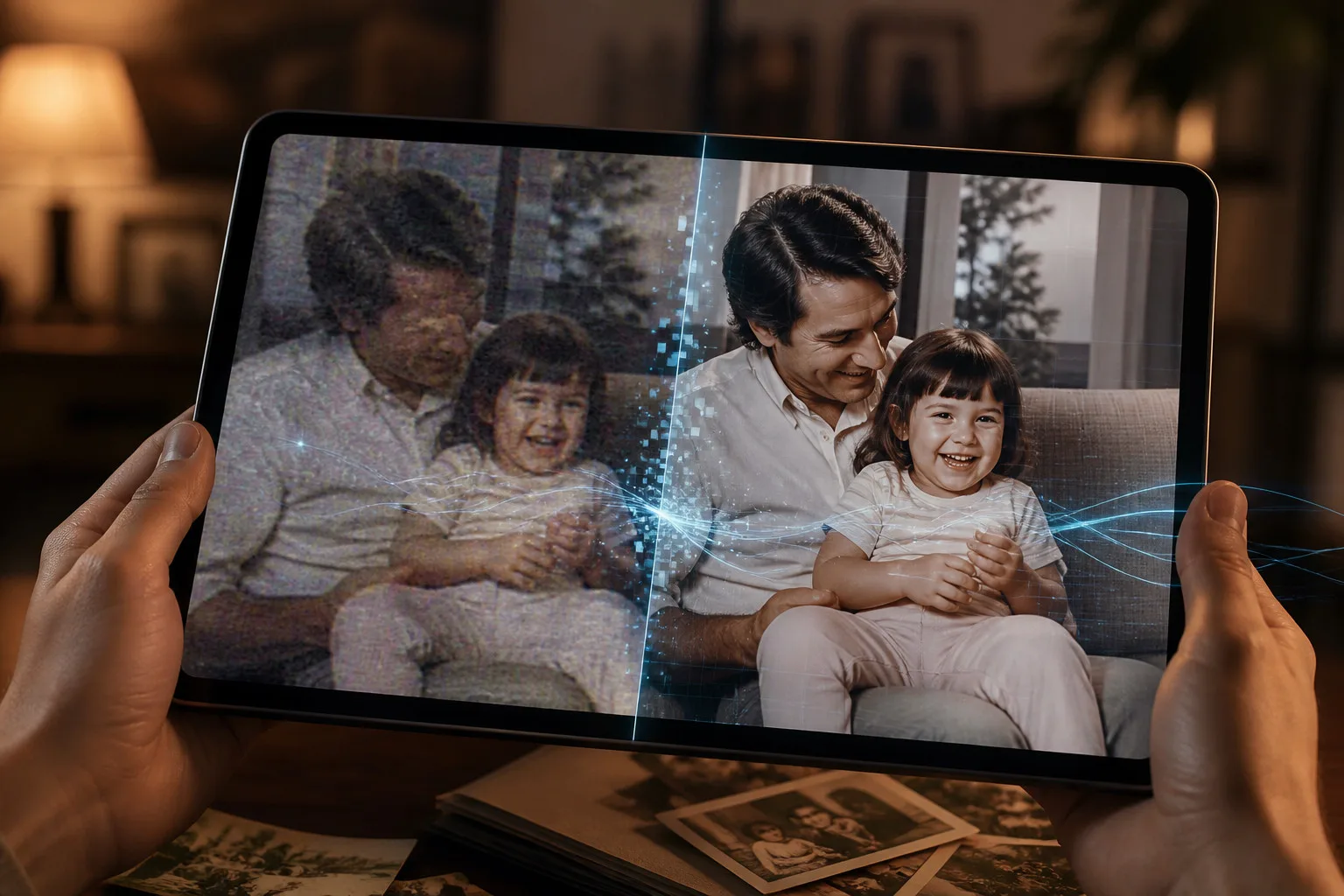

Old videos often carry memories that are impossible to replace. These recordings may still be worth keeping even when the picture looks soft or damaged. Time, compression, old cameras, and repeated file transfers can reduce detail. AI is making it easier to restore this footage.
An AI video upscaler can examine frames, identify patterns, and estimate missing visual information. Instead of simply stretching pixels, it can rebuild edges, reduce artifacts, and make footage more suitable for modern screens. The goal is not to change the memory, but to make the original recording easier to watch.
Why Old Videos Lose Their Original Look
Older footage can suffer from several problems at once. Low resolution is common with videos recorded on early phones and consumer cameras. Compression can create blocks and smudges, while poor lighting may introduce noise. Physical copies can also become damaged before they are digitized.
Even a video that looked good years ago may appear weak on a modern television or phone display. This is where restoration tools can help improve video quality without requiring users to recreate the original recording.
However, restoration has limits. Software cannot recover every detail that was never captured.
What AI Restoration Actually Does
AI restoration works by analyzing visual patterns across video frames. It may reduce noise, sharpen edges, reconstruct detail, or increase resolution.
A traditional resize makes a video larger, but it does not understand what is happening inside the frame. AI models can make informed estimates based on patterns learned from visual data. That can help enhance video quality while keeping faces, objects, and backgrounds more natural.
Video Upscaler 16K is one example of a tool built around this approach. It offers several processing technologies, including Apple SuperRes, MetalFX, BSRGAN, and RealESRGAN.
Choosing the Right Resolution
Resolution should be selected according to the original recording. An extremely large output is not always the best choice. A clean HD source may benefit from a moderate increase, while an older low-resolution clip may need a more careful approach.
An HD video enhancer can be useful when the goal is practical improvement without creating an unnecessarily large file. For stronger sources, a 4K video enhancer can prepare footage for modern displays and larger screens.
What matters is whether the finished video actually looks better.
Restoring Footage Without Making It Look Artificial
One challenge with AI restoration is avoiding an overprocessed appearance. Too much sharpening can create bright outlines around objects. Aggressive processing may also invent textures that were not present in the original recording.
A good restoration should make a video clearer while preserving its character. Faces should remain natural, moving objects should not develop strange edges, and backgrounds should retain believable texture.
Comparing original and processed versions is useful. Look closely at faces, text, hair, trees, and other detailed areas. These parts often reveal whether an enhancement has helped or simply made the image sharper.
Why Local Processing Matters for Personal Memories
Old family footage can be deeply personal. Users may not want private recordings uploaded to an external server simply to improve their quality. This is one reason on-device video upscaling is becoming an attractive option.
Video Upscaler 16K supports local processing on compatible Apple devices. This approach reduces the need to transfer large video files to the cloud.
For users concerned about personal recordings, private video enhancement can provide an additional layer of confidence.
Where AI Restoration Can Be Useful
AI restoration has value beyond family archives. Creators may have older footage they want to reuse in a new project. Businesses may need to improve clips stored in old media libraries. People may also have social media videos that became compressed after being shared or downloaded several times.
When users upscale video on iPhone, they can work with existing clips without moving the entire project to a computer. A mobile workflow can be useful for quick restoration.
Keeping the original alongside an improved copy also gives users flexibility.
Making Old Memories Easier to Watch Again
AI does not replace the value of original footage. It provides another way to make that footage more usable. A short clip from ten years ago may have poor resolution, but it can still contain moments that matter.
Tools such as Video Upscaler 16K can make restoration more accessible by bringing several enhancement methods into a mobile workflow. Users can focus on selecting the source, choosing an output, and checking the result.
The best result lets viewers notice the memory, not the processing. A careful workflow helps preserve the original character of footage while making it easier to enjoy on newer devices.
Conclusion
AI video restoration is changing how people care for old digital footage. Better models can reduce visible problems, recover useful detail, and prepare older recordings for modern screens. Results depend on the source, so realistic expectations and sensible output settings remain important.
Whether someone wants to preserve family memories, reuse older creative work, or make archived clips easier to watch, modern enhancement tools offer a practical solution. With local processing, flexible resolution choices, and restoration technologies, Video Upscaler 16K gives iPhone users another way to bring valuable footage back into everyday use.





Leave a Reply