
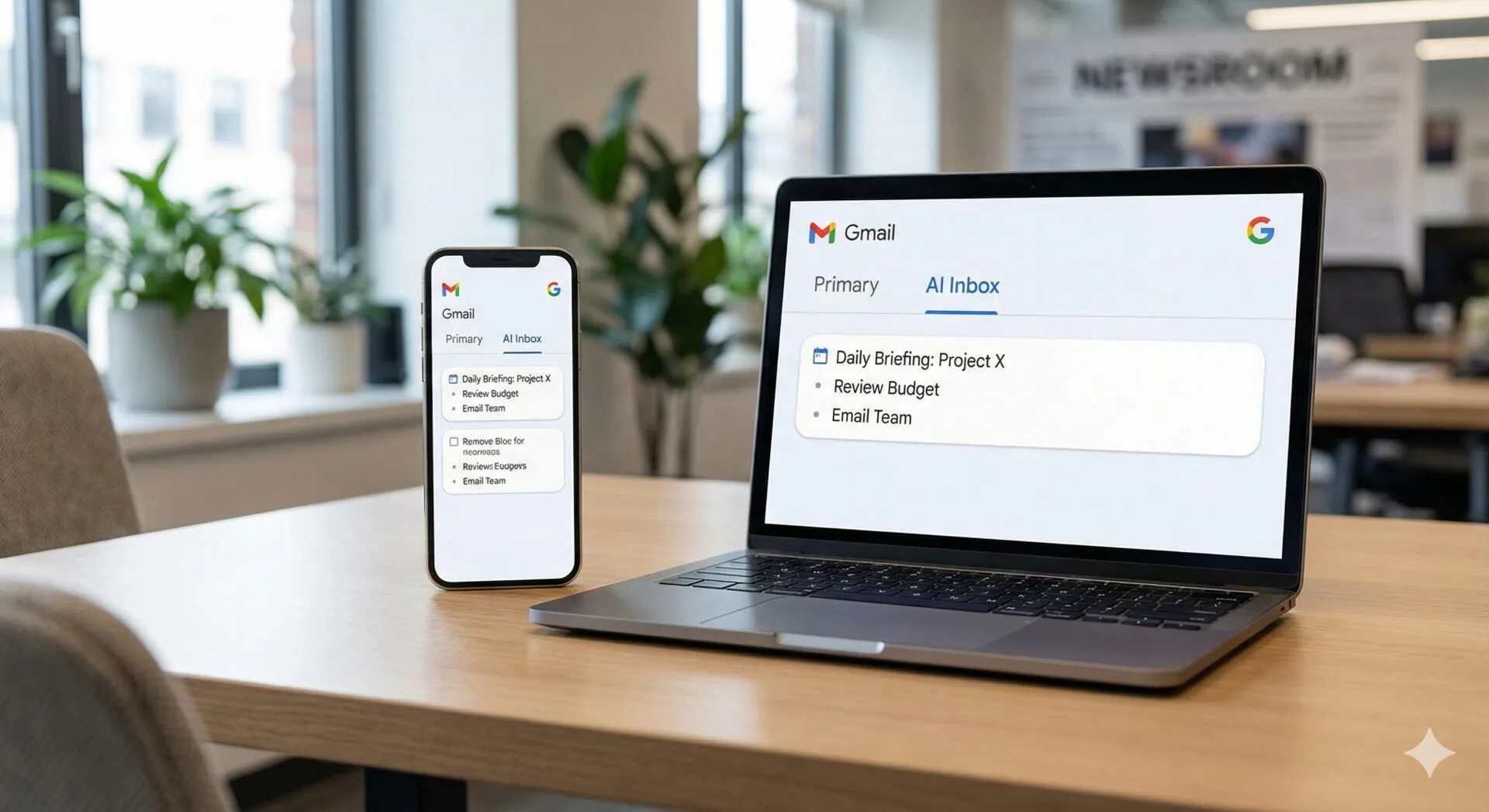

Google tests an “AI Inbox” tab in Gmail
Google is putting more generative AI into Gmail with a new feature it calls AI Inbox—a dedicated tab designed to summarize your emails into suggested to-dos and key topics. The company announced the feature Thursday, saying it is currently in beta testing.
The concept is straightforward: rather than forcing users to search, skim, and mentally triage a cluttered inbox, AI Inbox aims to act as an always-on assistant that reads messages, identifies actionable items, and surfaces what it believes matters most.
Google’s move is the latest step in a broader strategy to make inboxes more personalized and easier to navigate—especially for long-time Gmail users with years of accumulated messages.
How AI Inbox works: tasks and topics, linked back to the source
In Google’s example interface, the AI Inbox tab generates a list of action items at the top—things like rescheduling an appointment, replying to a coach, or paying a fee before a deadline. Beneath those tasks, the tab also displays a set of important topics worth browsing.
A key design detail is that each suggestion links back to the original email. That matters for two reasons:
- Verification: Users can check whether the AI’s interpretation matches the sender’s actual request.
- Context: The original thread provides details that a summary may omit (dates, attachments, specific instructions).
In practical terms, AI Inbox is attempting to turn Gmail into something closer to a lightweight task manager—without requiring users to manually label, star, or create calendar entries.
Google’s big bet: Gemini is now the engine behind Gmail’s AI
Google’s recent wave of productivity AI features is largely powered by Gemini, the company’s flagship model family. Gmail already includes Gemini-assisted experiences such as summarizing long threads and helping draft emails.
AI Inbox extends that approach from “summarize this thread” to “summarize my inbox,” which is a more ambitious—and riskier—problem. Summarizing a single conversation is one thing; scanning a large and varied corpus of personal messages and then generating a prioritized to-do list introduces more opportunities for misunderstanding nuance.
Google has been steadily pushing Gemini deeper into consumer products. In parallel, it has also been building Gemini into location and discovery experiences—an example being this internal coverage: Gemini Transforms Local Search with Google Maps Upgrade. The connective tissue is clear: Google wants Gemini to be the layer that interprets intent across apps, not just a standalone chatbot.
Reliability remains the central question
Even as generative AI becomes more common in everyday software, reliability continues to be the sticking point.
Google itself has acknowledged the limitation: Gmail users still see a disclaimer indicating Gemini “can make mistakes” when asked to search an inbox or answer questions.
That warning is not merely legal boilerplate; it reflects a core technical reality. Large language models can:
- Hallucinate details that are plausible but not present
- Misread dates, names, and obligations
- Overgeneralize from partial context
For an inbox assistant, the consequences of a mistake can be mundane (a wrong summary) or meaningful (missing a deadline or misunderstanding a request).
The history here matters. Earlier experiments from Google in this area did not always land well. When Google’s chatbot was still branded as Bard, early Gmail summarization and inbox-querying attempts were widely criticized for producing incorrect results. AI Inbox is, in effect, a second attempt—this time with a newer model family and tighter product integration.
Privacy: Google says inbox data won’t train its foundation models
AI features that “read every message” raise immediate privacy concerns, and Google is addressing that head-on.
According to Google, the information it processes from users’ inboxes for AI Inbox will not be used to improve the company’s foundational AI models. Blake Barnes, who leads the project at Google, said the company built a “secure privacy architecture” for the feature rather than simply attaching AI onto Gmail.
Google also emphasizes user control:
- Users can turn off Gmail’s new AI tools if they don’t want them.
- The AI Inbox experience is currently beta, implying limited availability and iterative changes.
For many users, the privacy question will come down to trust and clarity: what is processed, where it is processed, how long it is retained, and whether administrators (in workplace or school accounts) can control the feature.
What’s changing for free Gmail users
Alongside AI Inbox, Google is expanding access to several Gemini features that were previously restricted to paying subscribers.
Newly available (or newly emphasized) for free Gmail users include:
- Help Me Write: a tool that generates email drafts from a prompt
- AI Overviews for email threads: a TL;DR-style summary at the top of long conversations
This is an important product shift. By moving AI features down-market, Google increases adoption—and, potentially, normalizes AI-generated summaries and writing assistance as default email behavior.
That said, broader availability also increases the number of users who will encounter errors, edge cases, and misunderstandings—especially when summaries are treated as authoritative rather than as a starting point.
What paid subscribers get: proofreading and broader inbox summaries
Google says subscribers to its Ultra and Pro plans (starting at $20 per month) will get additional Gmail capabilities.
Two features highlighted for paid tiers are:
- AI proofreading: suggestions for more polished grammar and sentence structure
- AI Overviews across the whole inbox: the ability to search your entire mailbox and generate topic-based summaries, rather than summarizing only a single thread
The distinction between “thread summary” and “topic summary” is meaningful. Topic summaries are closer to a research task: the model must gather relevant messages, cluster them, and produce a coherent synthesis. That can be powerful for long-running projects (a home renovation, a school semester, a job search), but it also multiplies the risk of missing a key email or incorrectly merging unrelated threads.
Why email is a perfect—but unforgiving—AI use case
Email is one of the most tempting targets for generative AI:
- It’s text-heavy and often repetitive.
- It contains implicit tasks (reply, schedule, pay, confirm).
- It accumulates into a personal archive that traditional search struggles to tame.
But email is also unforgiving:
- Many messages contain time-sensitive obligations.
- Small errors can cause real-world consequences.
- The “ground truth” is distributed across multiple threads, attachments, and calendar invites.
This is why many users will likely treat AI Inbox as a triage assistant rather than a decision-maker—useful for surfacing possibilities, but not a replacement for reading the source.
The bigger trend: AI as the new interface layer for productivity
Google is not alone in trying to reimagine inbox workflows with generative AI. Across the industry, companies are pitching large language models as better at:
- Understanding natural language queries
- Producing concise summaries
- Personalizing outputs based on user context
The pitch is compelling: instead of searching “dentist appointment reschedule email,” you ask the inbox assistant what you need to do this week, and it responds with a prioritized list.
Google’s product direction suggests it wants Gemini to become an interface layer that sits above traditional app navigation. That’s consistent with its broader experimentation in “agentic” experiences—tools that not only answer questions but can help execute tasks. For a related example of Google’s direction on device control, see this internal piece: Google releases FunctionGemma: a tiny edge model that can control mobile devices with natural language.
AI Inbox, while not a full “agent,” is a step toward that paradigm: it interprets your communications and proposes actions.
What to watch as AI Inbox expands
Because AI Inbox is in beta, the most important details may emerge only after broader rollout:
- Accuracy metrics: How often do suggested to-dos match the underlying emails?
- Controls and transparency: Can users tune what gets surfaced, and see why a task was suggested?
- Enterprise and education policies: How will admins manage the feature for managed accounts?
- Data handling clarity: What processing happens locally versus in the cloud, and what logs are retained?
For users, the practical advice is simple: treat AI Inbox suggestions as shortcuts to the source, not replacements for it. Google’s own design choice—linking tasks back to original messages—implicitly acknowledges that verification remains part of the workflow.
Bottom line
Google’s AI Inbox is an ambitious attempt to make Gmail smarter by turning a chaotic stream of messages into an organized set of action items and topics. It also marks a broader push to bring Gemini-powered features to more users, including those on free accounts.
Whether AI Inbox becomes a daily staple will depend on something generative AI still struggles to guarantee: near-perfect reliability for high-stakes, real-world tasks—paired with privacy assurances strong enough to convince users that letting an AI “read every message” is worth the trade-off.
Source: Read Original Article




Leave a Reply