
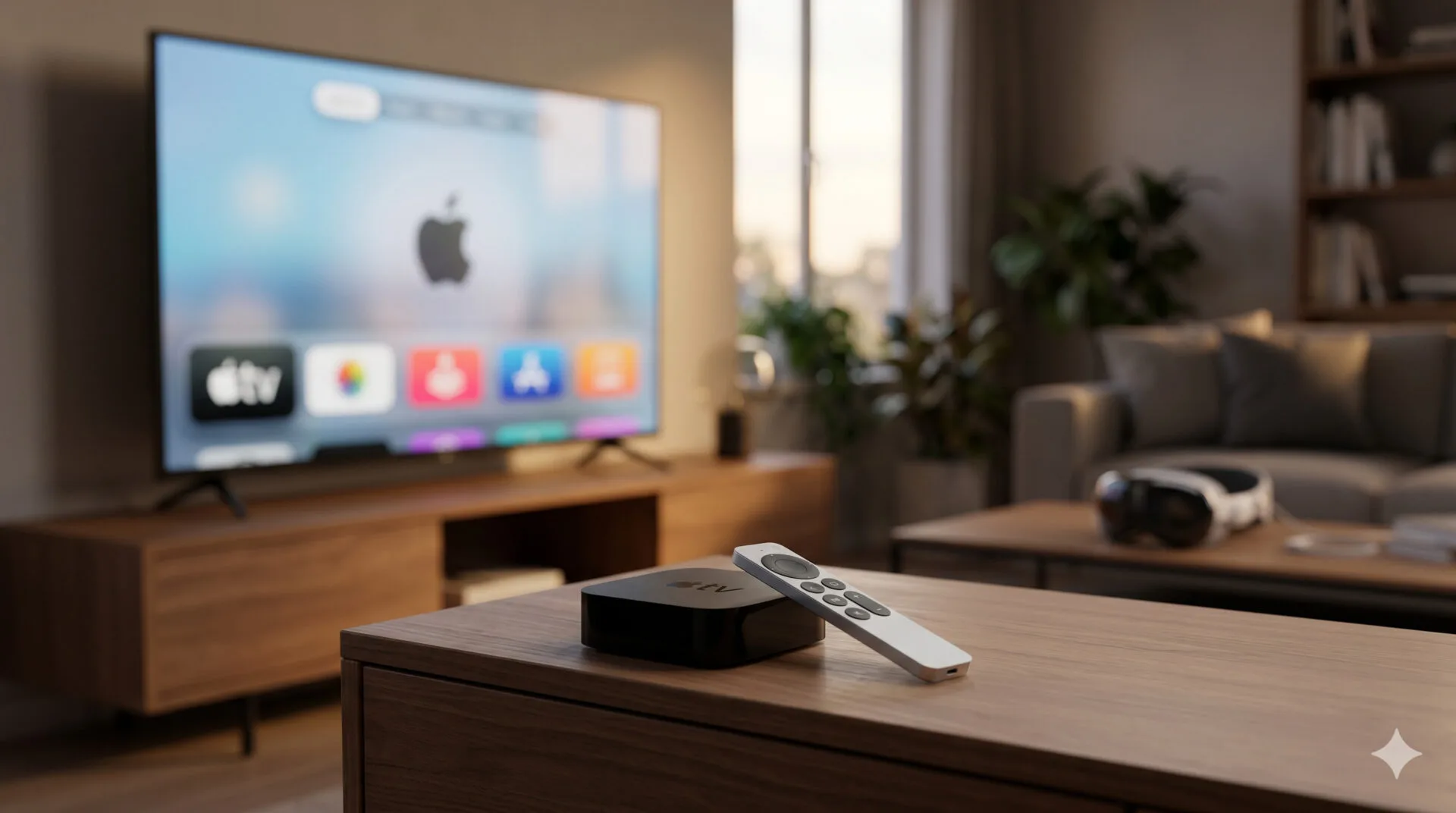

Overview: WWDC’s quieter updates matter more than you think
Apple’s Worldwide Developers Conference tends to be dominated by iOS, iPadOS, macOS, and watchOS headlines—but the company also ships major upgrades for the living room and the headset. Today’s WWDC announcements include tvOS 27 for Apple TV and visionOS 27 for Apple Vision Pro, with a clear theme: faster everyday interactions on Apple TV and AI-powered assistance (via Siri and Apple Intelligence) on Vision Pro.
The updates are available as developer betas now, with public betas expected soon and full releases likely arriving in the fall (Apple often targets September for its annual OS wave).
tvOS 27: Faster Apple TV, better audio, and a smarter Podcasts app
Performance: app launches and Control Center responsiveness
Apple says it has optimized tvOS 27 for speed. In practical terms, that means:
- Faster app launches
- A more responsive Control Center
- Quicker Apple Music playback start
For Apple TV owners, these are the quality-of-life improvements you feel every day—especially if you bounce between streaming apps, Home controls, and audio playback.
Apple Music: Hi‑Res Lossless arrives (24‑bit/192kHz)
The biggest headline for audio fans is that Apple Music on tvOS 27 adds Hi‑Res Lossless playback up to 24‑bit/192kHz.
A few beginner-friendly notes on what that means:
- Lossless means the audio data isn’t compressed in a way that discards detail.
- Hi‑Res Lossless typically goes beyond CD quality, potentially delivering more detail—if your playback chain supports it.
- Your experience will still depend on your receiver/TV audio setup, HDMI/eARC path, and any external DAC or compatible gear.
Apple also says AirPlay connections between Apple TV and HomePod should be quicker, which could reduce the “wait” when you start music in one room and expand it to others.
Official references:
– Apple Music
– AirPlay
Podcasts: redesigned app with audio + video podcasts
Apple is redesigning the Podcasts app on Apple TV in tvOS 27, with explicit support for:
- Audio podcasts
- Video podcasts
That matters because video podcasts have moved from niche to mainstream, and Apple TV is a natural “lean-back” place to watch them.
Smart downloads for Podcasts
tvOS 27 also adds smart downloads to Podcasts. While Apple hasn’t fully detailed the logic in the announcement, “smart downloads” generally implies:
- Automatically downloading new episodes from shows you follow
- Helping ensure you have something ready to play without manually managing each show
Gaming: redesigned controller screen
If you use Apple TV for casual gaming, tvOS 27 includes a redesigned game controller screen, aiming to make controller management and navigation clearer.
Smart home upgrades: Thread 1.4 and improved HomeKit Secure Video search
Apple TV increasingly acts as a smart-home hub, and tvOS 27 adds Thread 1.4 support. Thread is a low-power mesh networking tech used by many modern smart-home devices.
- Thread can improve reliability and responsiveness for compatible devices.
- It also helps reduce dependence on Wi‑Fi for certain accessories.
Apple TV also gains support for 4K video recordings (as described in the source context) and improves HomeKit Secure Video handling: recordings are processed on device to generate descriptions that make searching easier.
Official reference:
– Apple Home
Accessibility improvements
tvOS 27 adds several accessibility enhancements, including:
- An option for larger text in the interface
- Wider support for Made for iPhone hearing aids
- Machine translation for English subtitles into more languages
These changes are especially meaningful on a TV interface where readability and audio clarity can make or break the experience.
visionOS 27: Siri AI arrives, plus new spatial workflows
The headline: Siri AI + Apple Intelligence on Vision Pro
visionOS 27’s most notable changes center on Siri AI and Apple Intelligence. Apple is positioning Siri’s upgrade as cross-platform—Vision Pro included—along with a new dedicated Siri app.
The key point for beginners: this isn’t just “Siri answers better.” Apple is aiming for an assistant that can understand context, interact more naturally, and integrate with system features.
Official references:
– Apple Intelligence
– Apple Vision Pro
Visual Intelligence: “look at something and ask Siri about it”
Apple also highlights Visual Intelligence, which lets you look at something and ask Siri about it. The idea is that Vision Pro’s spatial interface can make “point-and-ask” feel more natural than on a phone.
Use cases could include:
- Identifying an object in your view
- Asking about something you’re seeing in a webpage or app
- Getting context-aware help without switching apps
(As always, availability and exact behavior may vary by region, device support, and beta maturity.)
Safari and Image Playground: AI features expand
Apple Intelligence ties into system apps. In visionOS 27, examples called out include:
- Safari automatically grouping your Reading List items by topic
- More controls in Image Playground
For Vision Pro users, these types of “quiet automation” features can reduce friction—especially when you’re browsing in large virtual windows.
Spatial personalization: panoramas become Environments
visionOS 27 adds a feature that turns panoramas into spatial scenes, which you can then set as your Environment.
This is a big deal for immersion:
- You can personalize your workspace with scenes you captured yourself.
- It makes Vision Pro feel less like a fixed set of Apple-provided environments and more like your space.
Curved windows and 3D object workflows
Apple is also improving day-to-day spatial productivity:
- You can spawn curved virtual windows, which may feel more natural in a wide field of view.
- You can bring 3D objects into your workspace to preview and edit.
For creators, designers, and developers, 3D object handling is foundational—so even modest workflow improvements can have outsized impact.
Control Center and notifications: glance-friendly UX
visionOS 27 includes interface refinements:
- A reworked Control Center
- Notifications that expand automatically when you look at them
This is a classic spatial UI pattern: use gaze to reveal detail without extra gestures.
How these updates fit Apple’s bigger platform strategy
Apple’s 2026 OS cycle continues a trend: features are increasingly shared across devices, but tuned to each screen and input method. Siri AI and Apple Intelligence are the obvious examples, showing up on iPhone, iPad, Mac, Watch, and now Vision Pro.
That cross-device direction also echoes Apple’s broader push toward deeper vertical integration—something that’s been years in the making. For a historical perspective, see our internal piece, Analyst predicts Apple’s Macs will run custom processors by 2020, which captures how Apple’s long-term hardware/software control enables these platform-wide shifts.
Release timeline: developer beta now, public beta soon
Both tvOS 27 and visionOS 27 are currently available as developer betas. Apple says public betas are coming soon, with stable releases expected later this year.
If you’re not a developer, it’s generally safer to wait for the public beta (or the final release) to avoid app crashes, battery drain, or compatibility issues—especially on a living-room device shared by the household.
Tech Specs: What’s new (feature checklist)
tvOS 27 — key features
- Performance: faster app launches; more responsive Control Center
- Apple Music:
- Faster playback start
- Hi‑Res Lossless up to 24‑bit/192kHz
- AirPlay + HomePod: quicker AirPlay connections (Apple TV ↔ HomePod)
- Podcasts:
- Redesigned app
- Audio + video podcasts
- Smart downloads
- Gaming: redesigned game controller screen
- Smart home:
- Thread 1.4 support
- HomeKit Secure Video: on-device processing generates descriptions to improve search
- Support for 4K video recordings (as described in the source context)
- Accessibility:
- Larger text option
- Wider support for Made for iPhone hearing aids
- Machine translation of English subtitles to more languages
visionOS 27 — key features
- Siri AI improvements + new Siri app
- Apple Intelligence integrations:
- Safari: auto-group Reading List by topic
- Image Playground: expanded controls
- Visual Intelligence: look at something and ask Siri about it
- Photos/Environments: turn panoramas into spatial scenes; set as Environment
- Windows: create curved virtual windows
- 3D workflow: preview and edit 3D objects in your workspace
- UI updates: reworked Control Center; notifications expand when looked at
What it means for buyers (and who should care)
If you own an Apple TV
tvOS 27 looks like a “small changes, big impact” release:
- Speed improvements benefit everyone.
- Hi‑Res Lossless is a meaningful upgrade if your home audio setup can take advantage of it.
- Podcasts changes modernize Apple TV as a podcast viewing device.
If you own (or want) a Vision Pro
visionOS 27 is a strong signal that Apple is betting on AI-assisted spatial computing:
- Siri becomes more central.
- Visual Intelligence aligns with the headset’s strengths.
- Curved windows and 3D object tooling push Vision Pro further into productivity and creation.
FAQ
When will tvOS 27 and visionOS 27 be released?
Apple says both are in developer beta now, with public betas soon and stable releases later this year (often in the fall).
Will tvOS 27 make my Apple TV noticeably faster?
Apple specifically promises faster app launches and a more responsive Control Center, so many users should feel improvements—especially on older hardware still supported.
What is Hi‑Res Lossless on Apple Music (24‑bit/192kHz)?
It’s a high-quality audio format that preserves more detail than typical compressed streaming. To benefit, you generally need compatible playback hardware (receiver/DAC/speakers) and a proper connection path.
Can I watch video podcasts on Apple TV now?
With tvOS 27, Apple’s Podcasts app is redesigned to support both audio and video podcasts, making Apple TV a more natural place to watch podcast shows.
What is Thread 1.4 and why does it matter on Apple TV?
Thread is a smart-home mesh networking standard. With Thread 1.4 support, Apple TV can better support compatible smart devices—often improving reliability and responsiveness.
Is Siri AI only for Vision Pro?
No. Apple is rolling out Siri AI across supported devices. Vision Pro gets it as part of visionOS 27, including a new Siri app.
What is Visual Intelligence in visionOS 27?
It’s an Apple Intelligence feature that lets you look at something in your view and ask Siri about it—leveraging the headset’s spatial interface.
Should I install the developer beta?
Only if you’re comfortable with bugs and have a recovery plan. For most people, waiting for the public beta (or final release) is the safer choice.
Sources
- Primary: GSMArena — tvOS 27 and visionOS 27 feature roundup
- Corroborating: GSMArena — watchOS 27 announcement (confirms broader Siri AI rollout across platforms)
Source: Read Original Article





Leave a Reply