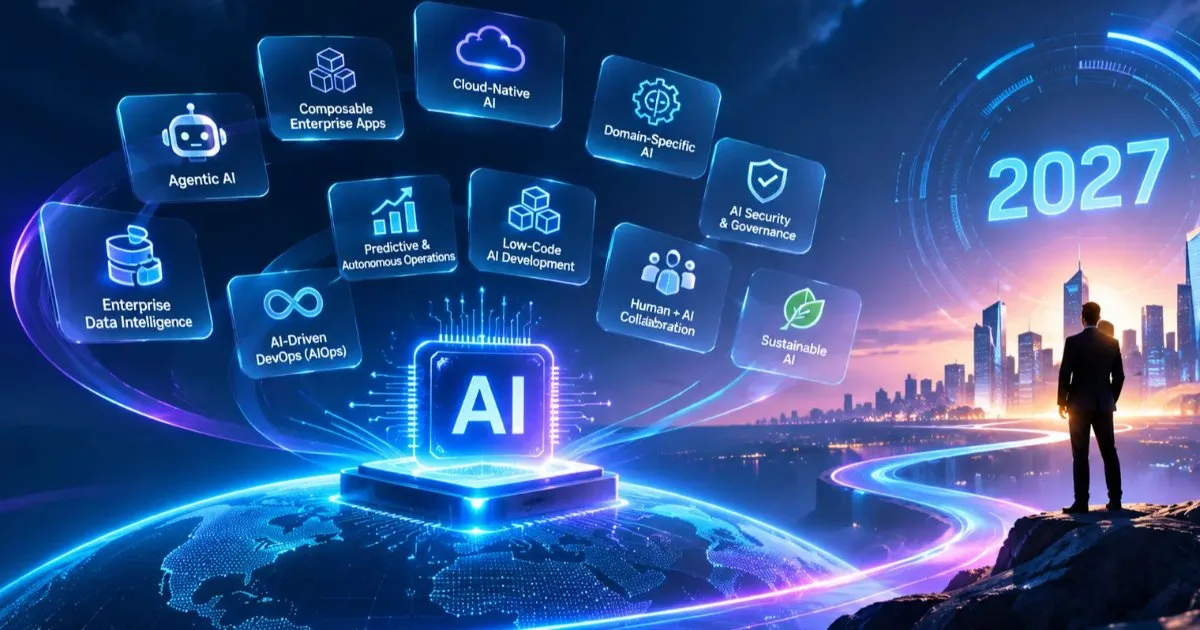
An employee receives a customer inquiry. They will be searching through hundreds of internal documents and drafting a response, all within a few minutes with the help of AI. This is only one of the many ways businesses see the future of AI in enterprises. From handling customer queries to helping developers write code, AI could become part of everyday business operations.
Technical documentation for enterprise AI development already outlines how these systems can work, what hardware they need and how businesses can check the accuracy of AI-generated responses. Companies could also use multiple AI development services and tools for different tasks, process certain information directly on employees’ devices and choose different AI models depending on the complexity of a request.
A customer support query can involve several steps. These include checking an order number or looking up a refund policy or resolving the issue. In one of its recent articles titled “Building Effective Agents”, Anthropic explained how language models can connect with external tools to carry out these types of tasks.
The article discusses AI development trends in 2027. Customer support and software development are two areas where these systems can be useful. It also explains how businesses can organize tasks and review the results at different stages.
Developers decide beforehand what steps the AI needs to follow and in what order in a fixed workflow. The article points out that using agentic systems can come with certain drawbacks, including longer response times and higher operating costs.
1. Routine work through AI agents
Some everyday business tasks involve switching between different systems to find information and get things done. Anthropic’s guidance explains how AI agents can be given access to these systems through connected tools.
An agent will pull up customers’ records, review information and decide the next step. The next step depends on what the agent finds along the way.
Human involvement is still part of the process. Feedback can also be provided to the agent to help determine whether the task has been completed correctly or needs further attention.
2. Answers grounded in company records
For example, an employee wants to know whether a particular expense is covered under the company’s reimbursement policy. For AI to answer this correctly, it will need access to the actual policy.
A model can be given access to internal documents, specific instructions and even previous conversations. Of course, there is a limit to how much information a model can process at once, so only the relevant material is selected.
One way of doing this is through retrieval-augmented generation (RAG). Every time a question is asked, the system can look through company records, find the information it needs and use those details to prepare an answer.
3. Smaller models for specific tasks
Think about the things people use AI for at work every day. It could be something as basic as rewriting an email, shortening a lengthy document or putting information into a table.
Microsoft’s Phi Silica transparency note discusses how a smaller AI model can handle these tasks directly on a Windows computer with compatible hardware. Since the information is processed locally, employees can use these features without needing an internet connection. The prompts they enter and the responses they receive can also remain on their devices.
There are a few limitations, though. Microsoft explains that factors such as processing speed, available memory and power consumption need to be taken into account when running these models locally.
4. Images, audio and documents together
A picture may explain a problem better than a lengthy written description. A customer reporting a damaged product can send a picture along with a message and explain what happened.
Multimodal AI models can work with different types of information, including text, images, audio and video. The formats that can be processed depend on the model being used.
Businesses also need to think about how quickly they expect a response and also how accurate it needs to be. A model that handles multiple formats may take longer to respond. This could also be more expensive to operate.
5. Coding within existing workflows
A developer may spend a major amount of their working day fixing small errors in code. or get busy in making changes suggested by another team member.
Developers can now ask Copilot to make these changes to an existing pull request. This involves fixing a failed test or addressing feedback received during a code review. The actual work takes place in a separate cloud environment.
Before the updated code is pushed, it is checked using tests and tools that help identify coding errors. Companies using GitHub’s Business or Enterprise plans will need their administrator to enable the coding agent before employees can start using it.
6. Support for older software
Not every company has the resources to replace its old software, especially when it is still being used for daily operations. Even a small change to an application built ten years ago can take quite some time.
Developers would first need to figure out how the existing code works. Then they would have to figure out whether changing one part will affect anything other than that.
According to AWS Transform documentation, much of this foundational work can be done with the support of AI. This is supported for Windows, mainframe and VMware workloads, along with custom code.
Teams can study the existing code, map its dependencies and plan what needs to be changed. There is also a shared workspace where developers can work together. Once changes are made, the code can be tested and documentation can be prepared for future reference.
7. Connections through shared protocols
Different departments within a company use their own AI tools. The sales team could be using one application. The customer support team works with another.
How do these systems exchange information when it’s needed? This can be done through Model Context Protocol (MCP).
Anthropic, in their update, has explained how AI applications can be connected to external tools and sources of information using a common standard. For communication between AI agents themselves, there is a separate protocol called Agent2Agent(A2A). The agents do not necessarily have to be built using the same technology.
Security policies can decide how much access each agent has. This includes what information can be retrieved and what actions can be performed.
8. Processing on local devices
Sending information to a remote server may not even be necessary for some AI tasks. Developers can use existing language models. These models are distributed by Microsoft, and several applications can make use of the same model.
Developers who want to work with other compatible models can do so through Windows ML. One thing that needs to be checked before implementation is whether the computer has the hardware required to run the model.
There may also be situations where a business needs a model trained for a very particular job. Fine-tuning is an option here, provided that suitable training data has been prepared.
9. Security beyond the user’s message
Let us say that an AI agent has been asked to go through a few emails to prepare a report. What happens if one of the emails contains instructions that interfere with the task?
This is something researchers at the US National Institute of Standards and Technology (NIST) have looked into. Harmful instructions can be hidden in merely ordinary places. This is including documents and websites that an agent reads during its work.
The agent may follow these instructions without realising that they are unrelated to the original request. This is called agent hijacking. It is a form of indirect prompt injection.
The researchers also look at how a system responds when several attempts are made to manipulate its behaviour.
10. Governance across development
A business will have different things to worry about depending on what it uses AI for. The risks involved in using AI to summarise internal documents, for instance, may be quite different from those involved in handling customer information.
NIST has published a Generative AI Profile to help organisations identify and manage such risks. The document is voluntary and was developed to accompany its existing AI Risk Management Framework.
It covers the entire development process, including what happens after the application has been made available to users. Organisations can go through the suggested measures and decide which ones are relevant to the kind of AI system they are building or using.
11. Evaluating answers and actions
How do you know if an AI agent has done its job properly? Reading its final response can tell you a fair amount, but there is also the question of how that response was produced.
Google Cloud’s agent evaluation approach allows developers to look at the work carried out by an agent along the way. Perhaps a tool was used unnecessarily, or a step that was supposed to be completed was missed altogether.
These actions can be compared with a reference sequence. Developers can then see whether the agent used the appropriate tools and whether the work was carried out in the required order.
Even if the answer looks fine to the user, there may still be parts of the process that need improvement.
12. Routing requests between models
Different members of different or the same teams use AI differently throughout the day. Someone in HR can ask to help draft a short email. A developer can be trying to resolve a complicated coding issue. Using the same AI model for both tasks does not make sense.
Amazon Bedrock has documented a feature that directs requests to different models within the same family based on how well they are expected to answer. Businesses can use the default routing settings or configure certain options themselves.
There are a few restrictions at present. The feature is available for selected models and regions, works best with English prompts and does not take an individual application’s performance data into account when choosing a model.
Conclusion
AI software development trends could be used for a wide range of tasks within a business in 2027. It can help a customer support team get through many of the enquiries, save developers some time when working with old software or help employees find a company document without having to ask several people for it.
But getting these applications to work within an existing business takes some planning. There are costs involved, and in some cases, new hardware may be needed. Businesses need to assess how much access AI should be given to company data and how the output will be checked.
They need to know how much they will need AI to depend on, what problems it needs to solve, the technology it already has and what it can realistically afford to implement and maintain.